
TL;DR
Listen free for 30 days with Audible
Thousands of audiobooks and originals — cancel anytime.
Start your free trialAs an affiliate, we earn on qualifying purchases.
Building an AI workstation used to be cheaper, but recent component shortages and price spikes have made prebuilt systems competitive or even cheaper. Your choice depends on your budget, timeline, and how much control you want over tuning and upgrades.
Imagine turning on a machine and immediately diving into your AI project, no fuss, no delays. That’s the promise of a prebuilt AI workstation. But if you’re a tinkerer or need a system tailored to your exact workload, building your own has always been the go-to. Now, with prices shifting and supply chains strained, the old rules no longer apply. This guide cuts through the noise to help you decide whether to assemble your own monster or buy a ready-made powerhouse.
We’ll explore real costs, performance tradeoffs, and what each approach demands from your time and technical skill. By the end, you’ll know which path aligns best with your goals, budget, and patience.
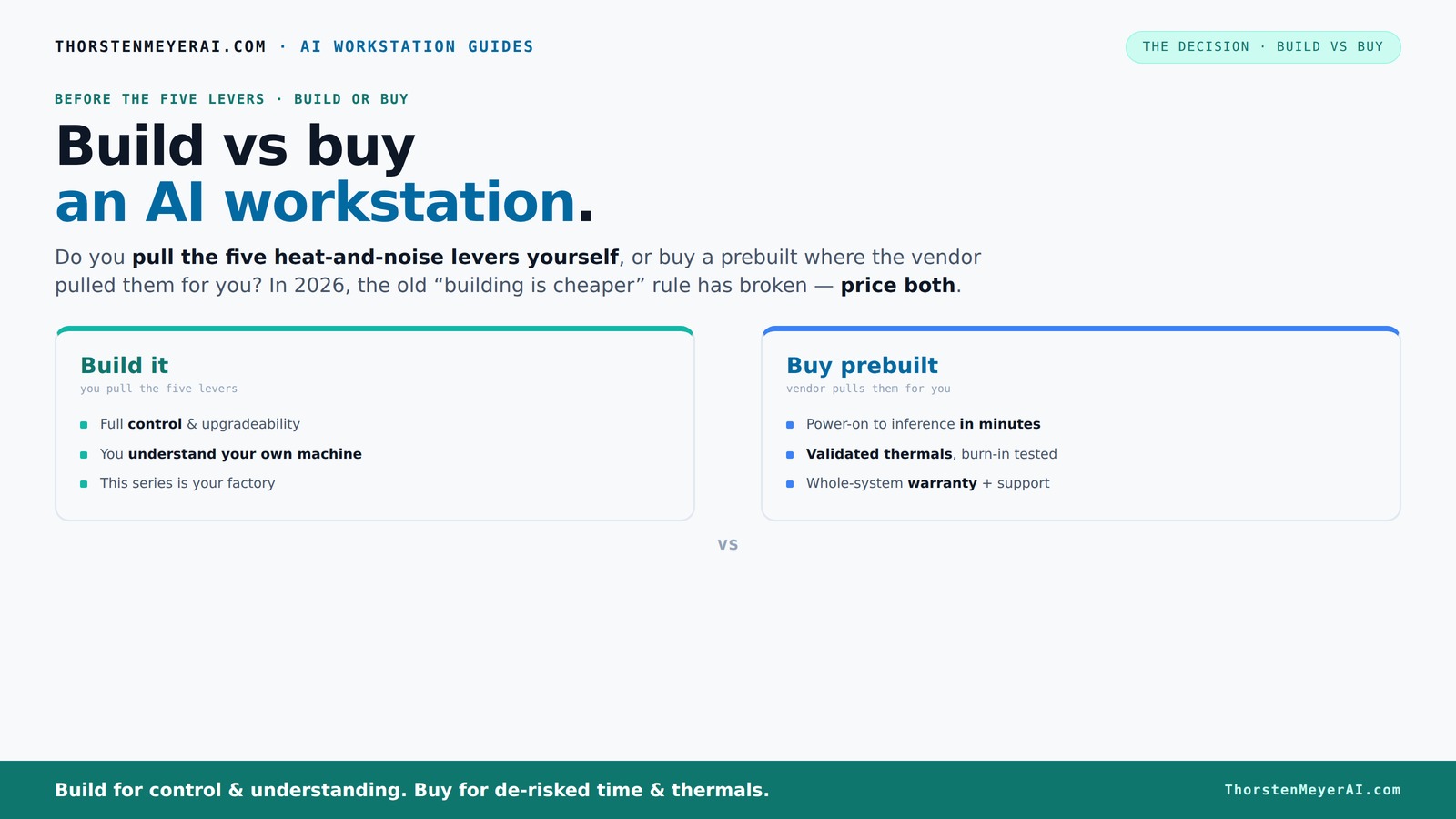
Build vs buy
an AI workstation.
The real question behind this whole series: do you pull the five heat-and-noise levers yourself, or buy a prebuilt where the vendor pulled them for you? And in 2026, the old “building is cheaper” rule has broken. Match your situation in Part 3.
Key Takeaways
- Component shortages in 2026 have made prebuilt systems often as affordable or cheaper than DIY builds, especially for high-end AI workstations.
- Buying a prebuilt reduces setup time, offers validated thermals, and includes support, making it ideal for production or time-sensitive projects.
- Building your own gives maximum control over components, cooling, and future upgrades — perfect for hobbyists or tailored workflows.
- Workload type heavily influences the choice — large training jobs favor prebuilt support, while lighter tasks suit DIY setups.
- Hybrid approaches, combining buying and customizing, are increasingly popular for balancing cost, control, and speed.
As an affiliate, we earn on qualifying purchases.
Why Building Used to Be Cheaper — And Why That’s Changing Now
Building your own AI workstation was always about saving money and customizing every detail. You picked the CPU, GPU, cooling, and case, tailoring everything to your needs. But recent global component shortages and price hikes have flipped that script. A build that once cost under $1,000 can now push past $1,250, sometimes even more, because DDR5 RAM, high-end GPUs, and SSDs have skyrocketed in price [1].
Meanwhile, large vendors like Lambda and Puget bought components in bulk before prices surged. Learn more about prebuilt AI workstations. They’ve optimized their supply chains and validated thermals, offering systems at prices that often beat DIY. These vendors also benefit from economies of scale, allowing them to negotiate better prices and offer more reliable, tested configurations. This means that, in many cases, the prebuilt system provides not only comparable or lower costs but also greater assurance of stability and performance. The implications are significant: DIY enthusiasts might face longer wait times, higher costs, and increased risk of compatibility issues, whereas prebuilt vendors absorb some of these risks through bulk purchasing and validation processes. The tradeoff becomes whether you value customization and tinkering over convenience and reliability. The changing economics emphasize that DIY is no longer always the cheaper or safer route, especially when supply chain disruptions are factored in. Therefore, it’s crucial to compare specific configurations and consider the value of time and risk when making your decision.
As an affiliate, we earn on qualifying purchases.
The Real Question: Who Pulls the Thermals Levers?
Running a high-power AI workstation is like managing a furnace — heat and noise are your biggest enemies. When you buy a prebuilt, the vendor pulls all the levers: they validate thermal performance, tune fan curves, and often include water-cooling that keeps noise levels down. These systems are designed with thermal efficiency in mind, balancing cooling capacity and acoustic comfort. Explore wellness and lifestyle tips. For example, vendors like Lambda rigorously test their configurations under load, ensuring that thermals stay within safe limits and noise remains minimal, which is crucial for long training sessions or continuous inference workloads.
If you build it yourself, you take on that challenge. You choose a quiet GPU, undervolt it, pick a case with good airflow, and set up fans precisely. You become the thermal engineer, tuning every lever for your specific setup. This process involves understanding the thermal characteristics of each component, how airflow impacts temperatures, and how fan curves can be optimized to reduce noise without sacrificing cooling. Learn about building your own AI workstation. While this offers maximum control, it also demands time, knowledge, and patience. The tradeoff is that DIY tuning can yield a quieter, cooler system tailored precisely to your environment, but it requires ongoing maintenance and testing.
In essence, buy if you want a machine that’s ready to go, with validated thermals and support. Build if you crave control and enjoy tinkering to squeeze out every decibel and degree. The choice hinges on whether you prefer a plug-and-play experience backed by professional validation or the hands-on satisfaction of customizing your thermal management for optimal silence and performance.
As an affiliate, we earn on qualifying purchases.
Defining Your Workload and Needs
Before deciding whether to build or buy, it’s essential to understand your specific workload and what you need from your AI workstation. Are you running massive neural network training jobs that require sustained high performance and stability? Or are you primarily doing inference and experimentation with smaller models? Your workload impacts your choice significantly.
For heavy-duty training, a prebuilt system with validated thermals, reliable power delivery, and manufacturer support can save you time and reduce headaches. Conversely, if your tasks are lighter or more experimental, building your own system allows you to customize components, cooling, and future upgrade paths to suit your unique needs.
Additionally, consider your long-term plans. Will you need to upgrade components frequently? Do you want to experiment with overclocking? These factors influence whether a prebuilt or a DIY approach is more suitable. Knowing your workload and growth expectations helps you make an informed decision that balances cost, performance, and flexibility.
As an affiliate, we earn on qualifying purchases.
The Practical Approach: Applying Your Decision
Once you've understood the economics, thermal considerations, and workload demands, it’s time to apply this knowledge. If speed and reliability are your top priorities, opting for a prebuilt system from a reputable vendor like Lambda or Puget can be a smart move. These systems come with validated thermals, manufacturer support, and often faster deployment, making them ideal for production environments or time-sensitive projects.
On the other hand, if you enjoy the process of building, tuning, and customizing, and you have the technical skills, assembling your own AI workstation can be both rewarding and cost-effective—especially if you’re willing to invest time in optimizing cooling and performance. This approach is especially appealing if you plan to upgrade frequently or want to experiment with different configurations.
In practice, many users find a hybrid approach effective: purchase a high-quality prebuilt and then upgrade or customize certain components over time. This strategy offers a balance between convenience and control, allowing you to adapt your system as your needs evolve. Visit caregiver support resources.
Conclusion: Making the Smart Choice in 2026
In 2026, the decision to build or buy a high-end AI workstation isn’t just about saving money — it’s about what fits your workflow, skills, and patience. If you want quick deployment with expert validation, a prebuilt is your best bet. But if you relish tuning every detail and planning for future upgrades, building your own can be a rewarding challenge.
Remember, the best choice aligns with your specific workload and long-term goals. The heat, noise, and complexity of an AI rig are more manageable than ever — what’s your next move?
Frequently Asked Questions
Is it cheaper to build or buy a prebuilt AI workstation?
It used to be that building your own was cheaper, but in 2026, component shortages and bulk buying have made prebuilt systems often just as affordable or even cheaper. Always compare prices for your exact specs before deciding.
What workloads justify building instead of buying?
If you need maximum customization for specific workflows, such as custom cooling, specialized GPUs, or future upgrades, building makes sense. For heavy, sustained training jobs without the need for tinkering, prebuilt solutions often provide better thermal validation and support. Additionally, consider the importance of long-term flexibility; if your workload or hardware needs are likely to evolve rapidly, a DIY build allows you to adapt more easily, potentially saving costs and avoiding vendor lock-in.
How much performance do I lose with a prebuilt system?
Prebuilts are often tuned for performance and noise reduction, so the performance gap is minimal if you choose quality vendors. The main difference is in customization and upgradeability, not raw power. However, if you need highly specialized configurations or extreme overclocking, building your own offers more room for optimization, which can translate into marginal performance gains tailored precisely to your needs.
Which GPUs are best for AI workstations?
High VRAM cards like the RTX 4090 or A6000 excel for large models. For more budget-conscious setups, the RTX 4080 or 4070 Ti can still handle many tasks well. Balance VRAM, compute power, and cost based on your workload. The choice of GPU impacts not just performance but also power consumption and thermal management—selecting the right card involves understanding your specific workload demands and future scalability.
How hard is it to upgrade a prebuilt AI workstation later?
It varies by vendor and model. Some prebuilt systems are designed for easy upgrades, with accessible slots and modular components, while others are more sealed, making upgrades more complex or limited. Checking the vendor’s upgrade policy and physical accessibility before purchase can save you frustration later. If future expansion is a priority, opting for a system with clear upgrade pathways and documented procedures is essential to ensure your investment remains flexible as your needs grow.
Conclusion
In 2026, the decision to build or buy a high-end AI workstation isn’t just about saving money — it’s about what fits your workflow, skills, and patience. If you want quick deployment with expert validation, a prebuilt is your best bet. But if you relish tuning every detail and planning for future upgrades, building your own can be a rewarding challenge.
Remember, the best choice aligns with your specific workload and long-term goals. The heat, noise, and complexity of an AI rig are more manageable than ever — what’s your next move?
NFL season / tailgating Picks
team gear
As an affiliate, we earn on qualifying purchases.