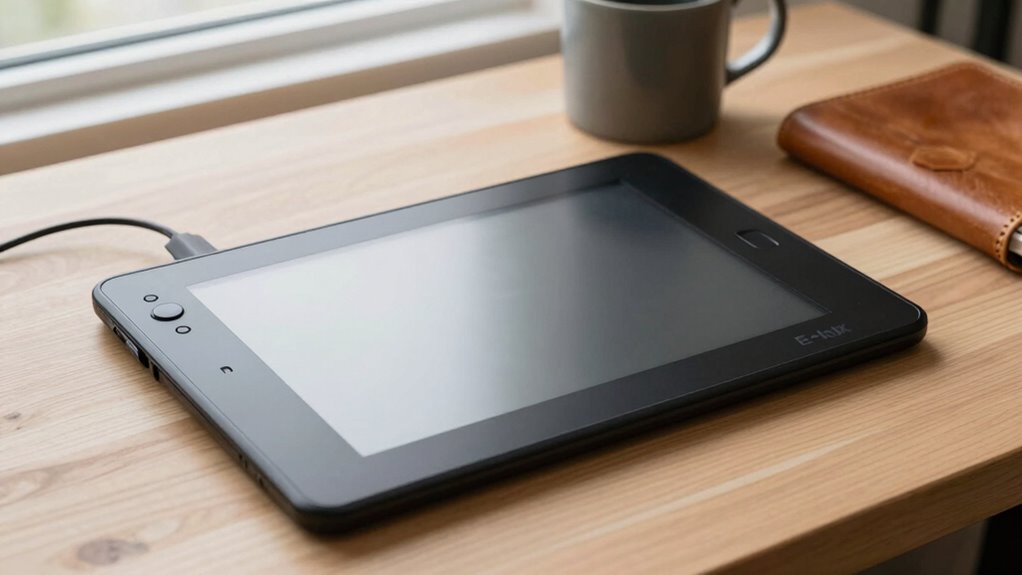

An E-Ink writing tablet can be a perfect distraction-free journal because it mimics the feel of real paper and offers a sleek, lightweight design that replaces traditional notebooks. You’ll enjoy natural handwriting, minimal eye strain, and no interruptions from notifications. Plus, it’s environmentally friendly, stores numerous entries, and syncs easily with cloud apps for backup. Want to discover how it balances traditional journaling with digital convenience? Keep exploring how this technology can transform your reflection process.

Turn your wind-down time into listening time
- Thousands of audiobooks, podcasts and originals
- Listen on your phone, tablet or Echo — also offline
- Cancel anytime
Key Takeaways
- E-Ink tablets mimic paper’s look and feel, providing a natural, distraction-free writing experience.
- They eliminate notifications and browsing distractions, fostering focused journaling sessions.
- Long battery life and seamless cloud syncing ensure convenient, uninterrupted access to journal entries.
- Their lightweight, sleek design replaces bulky notebooks, encouraging regular use without added clutter.
- Digital handwriting features allow free-flowing thoughts while maintaining a traditional journaling feel.

Have you ever considered replacing your traditional journal with an E-Ink writing tablet? If you’re someone who loves jotting down thoughts, ideas, or daily reflections, an E-Ink device might just be what you need. Unlike paper, which can be bulky and prone to wear, an E-Ink tablet offers a sleek, lightweight alternative that mimics the look and feel of real paper. With digital handwriting capabilities, you can write naturally, as if you’re using pen and paper, but without the mess or the need for ink. This makes it an excellent paper replacement, allowing you to keep all your notes in one organized, easily accessible place.
Switch to an E-Ink tablet for a lightweight, paper-like journaling experience without the wear and tear.
Using an E-Ink writing tablet for journaling transforms how you approach daily reflection. The smooth, paper-like surface encourages free-flowing thoughts, while the digital handwriting feature ensures your notes are clear and legible. Because it’s designed to simulate the experience of writing on paper, you won’t feel like you’re sacrificing authenticity for convenience. Plus, the absence of glare and eye strain typical of backlit screens means you can write comfortably for longer periods, whether during the day or at night. The tactile sensation of writing on an E-Ink screen closely resembles that of paper, making it easier to stay immersed in your thoughts without distractions. This technology also aligns with the growing trend of digital note-taking, which emphasizes environmentally friendly and efficient ways to organize information.
Another advantage of choosing an E-Ink writing tablet as your journal is its environmental impact. No more wasting paper or dealing with the clutter of physical notebooks. Instead, you can store hundreds of journal entries digitally, saving space and reducing waste. The device’s long battery life means you won’t have to charge it frequently, making it practical for daily use. Additionally, most E-Ink tablets sync with cloud services or apps, allowing you to back up your entries securely and access them across devices. This digital flexibility makes the shift from traditional paper to digital seamless and hassle-free.
Furthermore, the use of E-Ink technology in these devices minimizes eye strain and glare, providing a comfortable writing experience even during extended periods. Ultimately, this technology offers a distraction-free environment for your journaling practice. Without notifications or tempting browsing options, you can focus solely on your writing. The combination of digital handwriting and paper replacement features means you get the tactile satisfaction of writing with the convenience of digital storage. If you’re searching for a way to streamline your journaling routine, an E-Ink writing tablet could be the perfect solution—offering all the benefits of traditional journaling without its drawbacks, and fitting effortlessly into your daily life.
E-Ink writing tablet for journaling
As an affiliate, we earn on qualifying purchases.
As an affiliate, we earn on qualifying purchases.
Frequently Asked Questions
Can E-Ink Tablets Sync With Other Devices?
Yes, many E-Ink tablets can sync with other devices through cloud synchronization. This feature allows you to transfer digital handwriting seamlessly across your smartphone, tablet, or computer. You can jot down notes on your E-Ink device and access them later on other gadgets, making your notes more flexible and accessible. Cloud synchronization guarantees your digital handwriting stays updated and secure, enhancing your overall note-taking experience.
How Long Does the Battery Last on Average?
Battery life benefits from brilliant power efficiency, lasting weeks on a single charge. On average, you can expect your E-Ink writing tablet to operate for about two to four weeks, depending on usage. Its power efficiency means you can write, read, and review without constantly worrying about recharging. So, you’ll enjoy extended productivity and endless exploration, making it a perfect partner for distraction-free journaling and note-taking.
Are E-Ink Tablets Suitable for Sketching?
E-Ink tablets are suitable for sketching, especially if you’re into digital art with a focus on simplicity. They offer creative flexibility by mimicking the look of traditional ink and paper, making your sketches feel natural. However, their limited color options and lack of advanced brushes might restrict detailed digital art projects. Still, for quick sketches and brainstorming, these tablets provide a distraction-free environment that fosters your artistic flow.
Is There a Way to Organize Multiple Journals Digitally?
Yes, you can organize multiple journals digitally by using apps that support digital organization and journal categorization. You can create separate folders or tags for each journal, making it easy to find and switch between them. Many e-ink tablets sync with cloud services or offer internal filing systems, helping you keep your journals tidy and accessible. This way, you stay productive without clutter, and your journals stay well-organized.
How Durable Are E-Ink Screens Over Time?
E-Ink screens are quite durable over time, thanks to their excellent screen longevity and wear resistance. You won’t see significant degradation from regular use, as the technology is designed to handle extensive reading and writing without fading or damage. However, avoid exposing your device to extreme temperatures or rough handling, which can impact its longevity. With proper care, your e-ink tablet’s screen should stay clear and functional for years.
distraction-free digital notepad
As an affiliate, we earn on qualifying purchases.
As an affiliate, we earn on qualifying purchases.
Conclusion
Imagine the possibilities—your thoughts flowing seamlessly on an e-ink tablet, free from distractions. But is this device truly the perfect journal, or just a tempting illusion? As you consider its quiet simplicity, one question lingers: could this be the change you need to unseal your deepest reflections? The answer waits just beyond the screen, promising a new way to connect with your inner world—if you’re willing to take the leap.
E-Ink tablet with handwriting support
As an affiliate, we earn on qualifying purchases.
As an affiliate, we earn on qualifying purchases.
As an affiliate, we earn on qualifying purchases.
Fall Picks
fall essentials
As an affiliate, we earn on qualifying purchases.