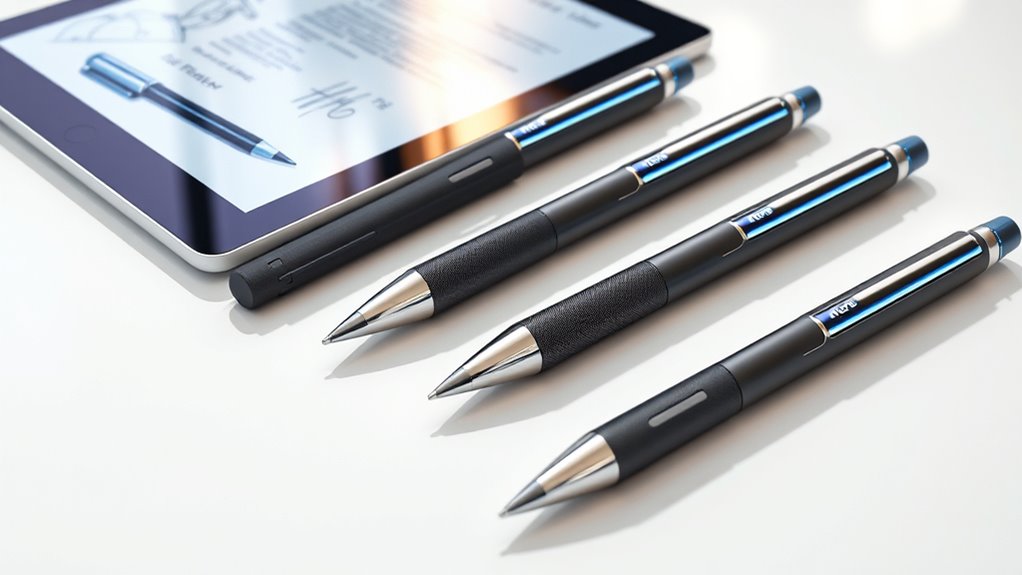

Notetaking smart pens blend traditional writing with digital convenience, making them ideal for students, professionals, and creative thinkers. The Ophaya Smart Digital Notebook stands out as the best overall choice for its seamless integration and user-friendly design. For those prioritizing voice recording, the LIMU AI Smart Pen offers impressive 64GB storage and long battery life. Meanwhile, the inq Smart Writing Set excels in converting handwriting to digital text with AI. These options highlight the key tradeoffs in this category: balance between features, ease of use, and price. Keep reading for a detailed breakdown of each product to find your perfect fit.
Play games included with Prime
Start a Prime free trial and play with Amazon Luna on your devices.
Start playingAs an affiliate, we earn on qualifying purchases.
Key Takeaways
- The best smart pens combine handwriting capture with digital syncing, but trade off between complexity and ease of use.
- Voice recording features are variable; high-quality microphones and large storage matter for busy note-takers.
- Conversion accuracy from handwriting to text depends heavily on the AI software — some models outperform others.
- Battery life and real-time sync capabilities are crucial for on-the-go productivity, especially for professionals.
- Budget options often sacrifice advanced features but still offer reliable basic note-taking and digital storage.
| Ophaya Smart Digital Notebook with Smart Pen |  | Best Overall for Seamless Digital-Analog Note-Taking | Includes: 1 smart pen, 5 A5 notebooks, 4 ballpoint refills, USB cable, user manual | Page Count: 124 pages / 62 sheets | Connectivity: Bluetooth, USB | VIEW ON AMAZON | See Our Full Breakdown |
| LIMU AI Smart Pen Note Taker, 64GB Voice Recorder Pen, No Subscription, 22h Recording |  | Best for Long-Lasting Voice Recording with AI Transcription | Storage Capacity: 64GB | Recording Time: 22 hours | Audio Storage: 480+ hours | VIEW ON AMAZON | See Our Full Breakdown |
| inq Smart Writing Set – Converts Handwriting to Text – AI Note Taking, Voice Recording and Transcription for iPhone and Android |  | Best for Natural Handwriting with AI-Assisted Transcription | Compatibility: iPhone and Android | Includes: Smart Pen & Notebook (Letter Size) | Features: Handwriting to text, voice recording, AI assistant | VIEW ON AMAZON | See Our Full Breakdown |
| Yuan Digital Smartpen Writing Set, Smart Pen and Notebook for Note Taking |  | Best for Real-Time Digital Notes with Basic Storage | Included Items: 1 smart pen, 2 notebooks, 4 refills, USB charging cable, small clip | Notebook Size: 5″ x 12″ and 3.8″ x 5.5″ | Battery Life: Up to 8 hours | VIEW ON AMAZON | See Our Full Breakdown |
| Yuan Digital Sync Pen with Notebook, Smart Writing Set for Note Taking |  | Best for Seamless Real-Time Digital Writing with Long Battery Life | Battery Life: 8 hours | Standby Time: 110 days | Fast Charging: 1.5 hours | VIEW ON AMAZON | See Our Full Breakdown |
| Ophayapen Smart Pen+Mini Notebook |  | Best Compact Digital Notetaker for On-the-Go Use | Compatibility: Android and iOS | Syncing: Real-time | Use Case: Note-taking and drawing | VIEW ON AMAZON | See Our Full Breakdown |
| inq Smart Writing Set – Converts Handwriting to Text – Real Ink on Real Paper – AI Note Taking, Voice Recording and Transcription, for iPhone and Android |  | Best Natural Handwriting Experience with Smart Transcriptions | Writing Instrument: Ballpoint Pen | Ink Color: Black | Size: A5 Journal | VIEW ON AMAZON | See Our Full Breakdown |
| XNote Smart Pen & Notebook Starter Set – AI-Powered Digital Note Taking with Real Paper Sync, Bluetooth, 17-Hour Battery |  | Best All-In-One Starter Kit for Seamless Handwriting and AI Organization | Battery Life: 17 hours | Connectivity: Bluetooth 4.2 | Includes: Pen, Notebook, Refill, USB | VIEW ON AMAZON | See Our Full Breakdown |
| Smart Digital Pen with A4 Paper – Yuan Smart Pen Kit |  | Best Large-Format Professional Note Set with Privacy Focus | Notebook Size: A4 | Page Type: College-ruled, acid-free | Compatibility: iOS and Android | VIEW ON AMAZON | See Our Full Breakdown |
| Ophayapen Smart Pen & Digital Notebook with Real-time Sync |  | Best Multi-Function Note & Audio Capture for Meetings | Battery Life: Not specified | Compatibility: iOS and Android | Additional Features: OCR, audio recording | VIEW ON AMAZON | See Our Full Breakdown |
| Ophaya 2 in 1 Digital Pen Smart Pen Writing Set, Includes Smartpen, Notebook, Use with Ophaya App for Notes Taking, Recording, Storing |  | Best for Eco-Friendly, Comprehensive Note-Taking with Audio Recording | Item Weight: 17.6 g | Item Dimensions: 11.45 x 9.96 x 1.77 inches | Item Diameter: 9.8 millimeters | VIEW ON AMAZON | See Our Full Breakdown |
| notetaking smart pen | Compatibility |
|---|---|
| Ophaya Smart Digital Notebook | iOS, Android |
| LIMU AI Smart Pen Note Taker | — |
| inq Smart Writing Set | iPhone and Android |
| Yuan Digital Smartpen Writing | — |
| Yuan Digital Sync Pen with Not | Yuan Smart Notebook only |
| Ophayapen Smart Pen+Mini Noteb | Android and iOS |
| inq Smart Writing Set | — |
| XNote Smart Pen & Notebook Sta | — |
| Smart Digital Pen with A4 Pape | iOS and Android |
| Ophayapen Smart Pen & Digital | iOS and Android |
| Ophaya 2 in 1 Digital Pen Smar | — |
More Details on Our Top Picks
Ophaya Smart Digital Notebook with Smart Pen
This option stands out for combining the tactile feel of writing on paper with instant digital synchronization, making it ideal for those who want a natural writing experience without sacrificing digital convenience. Unlike the Yuan Smart Pen Set, it offers OCR text conversion, which makes editing and searching notes easier, but it requires app installation and Bluetooth pairing, adding a setup step that can slow down quick note-taking. Its offline storage capability is a plus for on-the-go use, though it’s limited to A5 notebooks, which might not suit users needing larger formats. Overall, this model makes the most sense for busy professionals and students who value fluid handwriting paired with robust digital features.
Pros:- Instant digitization and synchronization of handwritten notes
- OCR technology for converting handwriting to editable text
- Multi-format sharing options and audio recording features
- Offline note saving for uninterrupted use
Cons:- Requires app installation and Bluetooth connectivity, which may slow initial setup
- Limited to A5 notebook size, restricting larger note formats
Best for: Professionals and students who want a natural writing experience with reliable digital sync and OCR capabilities
Not ideal for: Users seeking a larger notebook size or a device that works without an app, as it is limited to A5 paper and requires Bluetooth connection
- Includes:1 smart pen, 5 A5 notebooks, 4 ballpoint refills, USB cable, user manual
- Page Count:124 pages / 62 sheets
- Connectivity:Bluetooth, USB
- Compatibility:iOS, Android
Our verdict“This is the best choice for those who want natural handwriting paired with powerful digital features, but it involves some setup effort.”
LIMU AI Smart Pen Note Taker, 64GB Voice Recorder Pen, No Subscription, 22h Recording
Compared with the digital note-taking focus of the Ophaya, the LIMU AI Smart Pen emphasizes extended voice recording and AI-powered transcription, making it especially suitable for researchers and journalists who prioritize audio notes. Its 22-hour battery life outperforms most smart pens, but it’s primarily a voice recorder with AI features, rather than a traditional note-syncing device. Users should note that initial setup for AI features can be time-consuming, and the device isn’t designed for erasing or editing handwriting. This pick makes the most sense for those needing long-duration audio capture with accurate transcription, rather than detailed handwritten notes.
Pros:- Advanced GPT-5 AI for high-accuracy transcription
- Long battery life with 22 hours of continuous recording
- Lightweight and portable design
- Supports multiple languages and templates
Cons:- Requires initial setup for AI features, which may be complex
- Limited to 1-year free AI minutes after the first year
- No waterproof or dust resistance mentioned
Best for: Researchers, journalists, and professionals who need long-duration audio recording with accurate AI transcription
Not ideal for: Users seeking a device primarily for handwriting or quick note capture, as its main strength is voice recording and transcription
- Storage Capacity:64GB
- Recording Time:22 hours
- Audio Storage:480+ hours
- Weight:0.83 oz / 23.5g
- Battery Life:22 hours of recording per charge
- Connectivity:USB-C
- Languages Supported:125
- Warranty:1 year
Our verdict“Ideal for users who prioritize long recording sessions and AI transcription over handwriting or multimedia notes.”
inq Smart Writing Set – Converts Handwriting to Text – AI Note Taking, Voice Recording and Transcription for iPhone and Android
This set excels for users who want to write on real paper with a smart pen that digitizes notes with high accuracy, similar to the Ophaya but with added AI features like note summarization. Its compatibility with both iPhone and Android broadens its appeal, but it requires a compatible smartphone and app setup, which might be a hurdle for some. The AI assistant enhances note clarity, making it suitable for meetings and study sessions. However, battery life isn’t specified, and some users may face a learning curve when mastering the software. This product makes sense for students and professionals who value natural handwriting combined with AI support for organizing and clarifying notes.
Pros:- Real ink on real paper for natural writing
- Syncs notes across devices via app and web platform
- Supports transcription of handwriting and voice recordings
- Built-in AI assistant for note clarification and brainstorming
Cons:- Requires compatible smartphone and app setup
- Potential learning curve for new users
- Battery life not specified
Best for: Students and professionals who want natural handwriting with AI-powered transcription and summarization
Not ideal for: Users without compatible smartphones or those preferring a dedicated device without reliance on a phone app
- Compatibility:iPhone and Android
- Includes:Smart Pen & Notebook (Letter Size)
- Features:Handwriting to text, voice recording, AI assistant
Our verdict“This is a strong choice for users seeking natural handwriting combined with AI-driven transcription and note management.”
Yuan Digital Smartpen Writing Set, Smart Pen and Notebook for Note Taking
Compared with the Yuan Sync Pen, this set emphasizes real-time digital capturing of handwritten notes, making it suitable for those who want immediate digital access without relying heavily on cloud services. Its offline storage and playback features serve well for students or professionals who often work without internet. However, the internal storage is quite limited—around 15 pages—so it’s better suited for short notes or quick sketches rather than extensive projects. The handwriting cannot be erased once written, which might be a drawback for users who prefer editing flexibility. Overall, this set is best for those who need a portable, real-time digital note option without complex cloud dependencies.
Pros:- Real-time digital synchronization of handwritten notes
- Supports playback, sharing, and offline storage
- Includes multiple notebooks, refills, and accessories
- Compact and lightweight for portability
Cons:- Handwriting is permanent and cannot be erased
- Limited internal storage capacity (~15 pages)
- Requires Yuan Smart Notebooks for best performance
Best for: Students and professionals needing quick, real-time digital notes with offline access
Not ideal for: Users requiring large storage or editing capabilities, as handwriting is permanent and storage is limited
- Included Items:1 smart pen, 2 notebooks, 4 refills, USB charging cable, small clip
- Notebook Size:5″ x 12″ and 3.8″ x 5.5″
- Battery Life:Up to 8 hours
- Charging Time:1.5 hours
- Memory Capacity:8MB (about 15 pages of A4 data)
Our verdict“Best suited for quick, real-time digital notes where editing flexibility isn’t a priority.”
Yuan Digital Sync Pen with Notebook, Smart Writing Set for Note Taking
Compared to the Yuan Smart Pen Set, this version emphasizes a smooth, real-time sync experience, making it ideal for those who want uninterrupted digital writing without the need for cloud-based storage. Its long battery life and quick recharge deliver a dependable experience for daily use. However, it only works with Yuan’s proprietary notebooks, which limits flexibility for users who prefer different paper styles or brands. Handwriting cannot be erased from the smart notebook, and the initial full charge requirement might cause a delay before first use. This set is best for creative professionals and note-takers who prioritize consistent performance and long battery life over cross-platform compatibility.
Pros:- Seamless real-time digital synchronization
- Long battery life with quick recharge
- Smooth 360° writing experience
- Offline storage for uninterrupted use
Cons:- Works only with Yuan smart notebooks, limiting flexibility
- Handwriting cannot be erased from the smart notebook
- Requires initial full charge before use
Best for: Creative professionals and dedicated note-takers who want reliable, long-lasting digital writing with seamless synchronization
Not ideal for: Users looking for flexibility with third-party notebooks or needing handwriting erasing features
- Battery Life:8 hours
- Standby Time:110 days
- Fast Charging:1.5 hours
- Compatibility:Yuan Smart Notebook only
- Charging Method:USB
Our verdict“This set suits those who need a dependable, long-lasting digital pen experience within the Yuan ecosystem, but it lacks cross-compatibility.”
Ophayapen Smart Pen+Mini Notebook
The Ophayapen Smart Pen+Mini Notebook stands out for its portability and real-time note digitization, making it ideal for those who need quick, on-the-fly digital capture without bulky equipment. Compared to larger sets like the Yuan Smart Pen Kit, this option is more portable but lacks detailed specs or user feedback, which can leave buyers uncertain about its reliability. It’s perfect for students or professionals who prioritize convenience over extensive features, though the absence of detailed specifications means it may not suit those seeking advanced customization or long-term durability. Its support for both Android and iOS broadens compatibility, but the lack of user reviews introduces some risk regarding overall performance. Overall, this pick makes the most sense for users who want a simple, pocket-sized digital pen for occasional use.Pros:- Supports real-time syncing and digitizing of notes
- Compact, portable design ideal for mobility
- Compatible with both Android and iOS devices
Cons:- Lacks detailed specifications and user reviews, reducing confidence in durability
- Limited information on features like battery life or offline use
Best for: Frequent travelers or students needing a compact, easy-to-carry digital note solution
Not ideal for: Power users requiring detailed specifications or extensive feature sets, as info is limited
- Compatibility:Android and iOS
- Syncing:Real-time
- Use Case:Note-taking and drawing
Our verdict“This is a solid choice for those seeking a small, straightforward digital pen for quick note-taking, but it may not satisfy users needing detailed technical info or high reliability.”
inq Smart Writing Set – Converts Handwriting to Text – Real Ink on Real Paper – AI Note Taking, Voice Recording and Transcription, for iPhone and Android
The inq Smart Writing Set offers a natural handwriting feel thanks to its ballpoint pen and real paper, making it a standout for users who value authentic writing alongside digital features. Unlike the more basic Ophayapen, it transcribes cursive, math, and diagrams with high accuracy, and links voice recordings to notes, enhancing context. However, its reliance on an app setup and limited to an A5 journal size could be restrictive for those with larger or more diverse writing needs. The built-in AI helps clarify notes, but additional complexity might slow down less tech-savvy users. This set is best suited for students, professionals, or researchers who need accurate transcription and voice integration without sacrificing the natural feel of writing.Pros:- Natural handwriting experience with digital accuracy
- Transcribes cursive, math, and diagrams seamlessly
- Links voice recordings directly to notes for context
Cons:- Requires compatible smartphone and app setup, adding complexity
- Limited to A5 journal size, which may not suit all needs
Best for: Students, researchers, or professionals who want accurate, natural handwriting with AI transcription
Not ideal for: Users requiring larger paper formats or a simplified setup, as the device and app complexity may be a hurdle
- Writing Instrument:Ballpoint Pen
- Ink Color:Black
- Size:A5 Journal
Our verdict“Ideal for users who prioritize authentic handwriting and accurate transcription, though setup complexity may be a barrier for some.”
XNote Smart Pen & Notebook Starter Set – AI-Powered Digital Note Taking with Real Paper Sync, Bluetooth, 17-Hour Battery
The XNote Starter Set combines comprehensive accessories with AI-powered features, making it an excellent choice for users who want a complete package for digital note-taking. Its long 17-hour battery life and quick charge are advantages over simpler pens like Ophayapen, especially for extended sessions. The set’s AI tools for summarizing and auto-tagging notes enhance productivity, but it requires app dependency and offers limited offline storage, which could be frustrating for users wanting full independence. It also lacks a built-in microphone, which might limit voice recording options compared to other models like the Ophayapen with integrated audio features. Overall, this set suits students or professionals who prefer an integrated, feature-rich experience with all necessary accessories included.Pros:- Seamless handwriting to digital sync
- AI tools for summarizing, tagging, and translating
- Long battery life with quick charging
Cons:- No microphone or audio recording in the pen itself
- Requires app for full functionality, limiting offline use
Best for: Students or professionals seeking a ready-to-use digital note-taking set with AI features
Not ideal for: Users who need offline storage or microphone features, as these are limited in this set
- Battery Life:17 hours
- Connectivity:Bluetooth 4.2
- Includes:Pen, Notebook, Refill, USB
Our verdict“Best suited for users wanting a complete, AI-enhanced note-taking starter kit with long battery life and accessories included.”
Smart Digital Pen with A4 Paper – Yuan Smart Pen Kit
The Yuan Smart Pen Kit offers a sizable A4 notebook with spill-resistant pages, ideal for professionals who need to capture detailed notes or sketches. Its real-time sync and local, server-free storage prioritize data privacy, making it attractive for sensitive work. Compared to smaller options like the inq Set, the Yuan kit’s larger pages support more extensive notes and drawings, but its dependence on Yuan-specific notebooks limits flexibility. Full charging may take hours, and notes cannot be erased from the smart notebook, which could be a drawback for those needing editing features. This set is best for professionals or academics who value large-format, secure, and durable note storage.Pros:- Real-time digital sync with mobile app
- Large A4 size with spill-resistant pages
- Complete set with multiple notebooks and refills
Cons:- Limited flexibility due to Yuan-specific notebooks
- Notes cannot be erased, limiting editing options
Best for: Professionals or academics needing large, spill-resistant notebooks with secure local storage
Not ideal for: Casual users or those needing flexibility with third-party notebooks, as it only works with Yuan notebooks
- Notebook Size:A4
- Page Type:College-ruled, acid-free
- Compatibility:iOS and Android
Our verdict“Ideal for professionals who want large, secure, and high-quality digital notebooks with local storage, but less suited for casual or flexible note-taking needs.”
Ophayapen Smart Pen & Digital Notebook with Real-time Sync
The Ophayapen Smart Pen & Digital Notebook combines real-time syncing, OCR, and audio recording, making it a versatile choice for meeting notes and lectures. Its ability to convert handwritten text into editable digital formats via OCR surpasses the Yuan Kit’s reliance on proprietary notebooks, offering more flexibility. Nevertheless, the app’s incompatibility with computers and the need for proprietary paper restricts some workflows, and customer ratings at 4.1/5 suggest minor reliability concerns. This set is best for users who want integrated writing, audio, and OCR features in a single package for professional or academic environments, despite the slightly limited compatibility.Pros:- Real-time sync with smartphones
- OCR technology for converting handwritten notes
- Audio recording linked to notes for context
Cons:- App not compatible with computers
- Requires proprietary paper for best results
Best for: Meeting professionals, lecturers, or students seeking integrated writing, OCR, and voice recording features
Not ideal for: Users requiring cross-platform compatibility with computers or those expecting open-format notebooks
- Battery Life:Not specified
- Compatibility:iOS and Android
- Additional Features:OCR, audio recording
Our verdict“Best for users needing a combination of handwriting, OCR, and audio recording in a single device, accepting some platform limitations.”
Ophaya 2 in 1 Digital Pen Smart Pen Writing Set, Includes Smartpen, Notebook, Use with Ophaya App for Notes Taking, Recording, Storing
The Ophaya 2-in-1 Digital Pen set stands out for its combination of physical and digital note-taking, making it ideal for those who want a physical writing experience with digital backup. Unlike the simpler Yuan Digital Smartpen, which focuses solely on digital notes, Ophaya provides a reusable digital notebook and supports real-time synchronization, making it perfect for students and professionals who need both handwritten and digital records. Its offline storage capacity of about 1,000 pages offers ample space without reliance on constant connectivity, but the setup can be somewhat complex, especially for users unfamiliar with app-based tools. The included audio recording feature is a significant advantage over basic digital pens, allowing comprehensive capture of meetings or lectures. However, it requires app connectivity for full functionality and has a limited usage cycle before recharging or refilling is needed, which could be inconvenient for heavy users.
Pros:- Supports real-time digital synchronization and sharing
- Includes audio recording for comprehensive note capture
- Offline storage for up to 1000 pages ensures usability without internet
Cons:- Requires app connectivity to unlock full features, adding setup complexity
- Limited to approximately 50,000 uses before needing recharge or refills
Best for: Teachers and students who want eco-friendly, hybrid note-taking with audio support
Not ideal for: Users seeking a simple, plug-and-play digital pen without the need for app integration or refill concerns
- Item Weight:17.6 g
- Item Dimensions:11.45 x 9.96 x 1.77 inches
- Item Diameter:9.8 millimeters
- Includes:Smart pen, digital notebook, paper sheets, ink refills, liquid refills, USB cable, user manual
- Storage Capacity:Approximately 1000 A4 pages
Our verdict“This set suits those who want a versatile, eco-friendly note-taking tool with audio recording, accepting some setup and maintenance effort.”

How We Picked
The selection process focused on evaluating performance, usability, build quality, and value. I looked for smart pens that offered reliable handwriting capture, seamless digital synchronization, and versatile features like voice recording and text conversion. Durability and battery life were also key factors, especially for users who need a device that can keep up with daily use. Finally, I prioritized products with clear user interfaces and positive reviews, ensuring each option provides a meaningful advantage for different types of note-takers. The ranking reflects how well each pen balances these factors within its price point.| notetaking smart pen | Compatibility |
|---|---|
| Ophaya Smart Digital Notebook | iOS, Android |
| LIMU AI Smart Pen Note Taker | — |
| inq Smart Writing Set | iPhone and Android |
| Yuan Digital Smartpen Writing | — |
| Yuan Digital Sync Pen with Not | Yuan Smart Notebook only |
| Ophayapen Smart Pen+Mini Noteb | Android and iOS |
| inq Smart Writing Set | — |
| XNote Smart Pen & Notebook Sta | — |
| Smart Digital Pen with A4 Pape | iOS and Android |
| Ophayapen Smart Pen & Digital | iOS and Android |
| Ophaya 2 in 1 Digital Pen Smar | — |
Factors to Consider When Choosing Notetaking Smart Pens
Choosing the right notetaking smart pen depends on your specific needs and workflow. It’s important to consider how you’ll use the device—whether for quick notes, detailed transcription, or voice recording—and how much you’re willing to invest. Beyond features, factors like app compatibility and ease of setup can significantly impact your experience. Making an informed choice involves weighing these broader considerations against your daily habits and professional requirements.Performance and Accuracy
The core feature of any smart pen is its ability to accurately capture handwriting and convert it into digital text. Some pens use advanced AI for better transcription, especially on different paper types or handwriting styles. Keep in mind that higher accuracy often comes with a steeper learning curve or higher price. If precise conversion is essential, prioritize models with proven AI capabilities and user reviews attesting to their reliability.
Ease of Use and Setup
A smart pen should integrate smoothly into your routine without requiring complicated setup or maintenance. Look for models with intuitive interfaces and straightforward pairing processes via Bluetooth or Wi-Fi. Devices that come with dedicated apps or companion software should offer a seamless experience, including quick syncing and easy access to your notes. Beware of pens that demand extensive configuration or have clunky software, as these can hinder productivity.
Battery Life and Portability
Many note-takers need a device that can last through long meetings or study sessions. Battery life varies widely, with some pens offering 10-12 hours of use and others exceeding 20 hours. Portability also matters; compact designs that fit comfortably in a shirt pocket or notebook case make it easier to carry your device everywhere. Consider your typical usage patterns and choose accordingly to avoid interruptions.
Compatibility and Ecosystem
Smart pens often work best within specific app ecosystems or platforms, such as iOS, Android, or Windows. Compatibility determines how easily your notes sync across devices and which software features you can access. Some pens integrate with cloud services like Google Drive or Dropbox, adding convenience. Verify that the pen you select supports your preferred device and workflow to avoid frustration later.
Price and Value
Pricing for smart pens varies from budget-friendly models to premium options with extensive features. Cheaper pens may lack accurate transcription or long battery life but still serve basic note-taking needs. Meanwhile, higher-end models often include voice recording, AI transcription, and superior build quality, justifying their cost for power users. Assess your budget against your feature priorities to find the best value, and remember that investing in a reliable device can save time and frustration in the long run.
Frequently Asked Questions
Can I use a smart pen with any notebook?
Most smart pens are designed to work with specific notebooks or paper types, often requiring special paper that interacts with the pen’s sensors or Bluetooth. Some models, however, are compatible with any regular paper and rely on digital apps for capturing notes. Always check the product specifications to ensure your preferred paper meets the pen’s requirements, or opt for models that explicitly state compatibility with standard notebooks for maximum flexibility.
How accurate is handwriting to text conversion on these pens?
The accuracy varies significantly among models, with premium pens typically offering more precise AI transcription. Factors like handwriting clarity, paper type, and AI sophistication influence results. Many devices perform well with neat handwriting but struggle with messy or quick notes. Reading user reviews and testing the AI’s ability to handle your writing style can help you choose a smart pen that meets your transcription needs reliably.
Do smart pens require ongoing subscriptions or software fees?
While some models include free apps and features, others may require subscriptions for advanced AI transcription, cloud storage, or additional functionalities. Carefully review the pricing structure before purchasing, especially if you anticipate needing ongoing access to premium features. Many affordable options provide core note-taking capabilities without extra costs, making them suitable for casual or infrequent use.
Are voice recording features reliable on these pens?
Voice recording quality depends on the microphone and app integration. Higher-end pens tend to offer clearer audio and longer recording times, which are beneficial for lecture or meeting notes. However, background noise and manual operation can affect reliability. If voice recording is a priority, look for models with dedicated microphones, large storage capacity, and positive user feedback on audio clarity.
What’s the best way to maintain a smart pen for longevity?
Regular charging and keeping the pen clean are essential for optimal performance. Avoid exposing the device to extreme temperatures or moisture, which can damage internal components. Using protective cases and storing the pen in a safe place when not in use can extend its lifespan. Additionally, keeping the software updated ensures you benefit from the latest features and fixes, maintaining smooth operation over time.
Conclusion
If you’re seeking the best overall experience, the Ophaya Smart Digital Notebook offers a balanced combination of features and ease of use. For those prioritizing value, budget-friendly models like the Yuan Digital Smartpen provide reliable note capture without breaking the bank. Beginners will find the inq Smart Writing Set intuitive and straightforward, making it ideal for getting started. Power users or professionals who need long battery life, AI transcription, and voice recording should consider premium options like the LIMU AI Smart Pen. Ultimately, your choice depends on your specific needs and how you plan to incorporate a smart pen into your workflow.
NFL season / tailgating Picks
team gear
As an affiliate, we earn on qualifying purchases.