

TL;DR

Turn your wind-down time into listening time
- Thousands of audiobooks, podcasts and originals
- Listen on your phone, tablet or Echo — also offline
- Cancel anytime
This article explains how a single video can generate a complete set of publishing assets—like clips, transcripts, and social posts—using offline tools. It highlights how this method offers creators control, privacy, and efficiency by avoiding cloud reliance.
Imagine wrapping your hands around a raw, uncut video. Now, picture turning that single piece into a full marketing toolkit—clips for TikTok, detailed blog drafts, eye-catching thumbnails, social posts, and even media kits—all without uploading a thing to the cloud. It’s possible, and it’s a game-changer.
Most workflows depend on cloud platforms that promise automation but often sacrifice control and privacy. This approach—focused on local processing—puts you back in the driver’s seat. It’s about making your content work harder for you, smoothly and securely, without the waiting or data leaks.
Key Takeaways
- Processing a single video locally can generate a full publishing kit—clips, transcripts, social posts, and media assets—saving time and keeping your work private.
- Offline workflows give you complete control over files, versions, and corrections, reducing dependency on cloud services and data leaks.
- A well-organized package simplifies multi-platform publishing, ensuring consistency across formats and channels.
- Systematic reprocessing makes updates seamless—perfect for refining content or fixing mistakes without starting from scratch.
- While offline tools excel with standard videos, complex visuals may require manual tweaks, so weigh your needs accordingly.
As an affiliate, we earn on qualifying purchases.
How One Video Can Spawn an Entire Publishing Kit Without the Cloud
You start with a single video file—say, a 15-minute interview. Then, through powerful offline tools, you generate everything from detailed transcripts to social media snippets. For example, ChannelHelm reads your video on four layers: audio, visuals, fused data, and intelligence. It understands what’s being said, shown, and the key moments worth highlighting.
Why does this layered understanding matter? Because it allows the system to identify the most relevant content automatically, saving you hours of manual review. It also enables the creation of targeted assets—like social clips or blog snippets—that resonate with your audience. The speed of this process means you can iterate quickly, testing different messages or formats without waiting for cloud processing. This tradeoff is clear: while local processing accelerates your workflow and enhances privacy, it might require a more powerful local setup and some initial configuration. However, for most creators, the benefits of control and speed far outweigh these considerations.

video transcript generator for PC
As an affiliate, we earn on qualifying purchases.
As an affiliate, we earn on qualifying purchases.
The Power of Local-First Processing: Control, Privacy & Speed
When you process content locally, you hold all the cards. No third-party servers, no data leaks, no waiting for uploads. It’s like editing in your own workshop instead of a rented studio. This setup is perfect for creators handling sensitive material or wanting immediate feedback. But beyond privacy, local processing impacts your workflow’s flexibility. You can experiment with different asset formats or edits without worrying about API limits or cloud costs, which often constrain cloud-based solutions.
For example, indie authors drafting a new book trailer can generate all assets—titles, captions, snippets—without risking leaks or delays. Plus, local processing is faster—no waiting for cloud servers to catch up. Recent reports suggest local workflows can cut turnaround times by up to 50%, especially when handling large or complex assets without relying on the cloud. The tradeoff? Local hardware limitations might require investment upfront, but once set up, you gain a predictable, private, and rapid production cycle that cloud solutions can’t match in speed or control.

As an affiliate, we earn on qualifying purchases.
What Types of Assets Does a Full Publishing Kit Include?
A complete kit covers everything you need to publish and promote. Here’s a quick comparison:
| Asset Type | Purpose |
|---|---|
| Transcripts & Captions | Accessibility, SEO, social clips |
| Short Clips & Highlights | Social media, reels, TikTok |
| Blog Drafts & Articles | Deep dives, website content |
| Thumbnails & Cover Art | Visual appeal, branding |
| Media Kits & Launch Copy | Public relations, marketing |
Why is this comprehensive approach important? Because each asset serves a specific role in your broader content strategy. Transcripts improve accessibility and SEO, making your content discoverable and usable by a wider audience. Short clips and highlights are tailored for quick consumption on social platforms, increasing engagement. Blog drafts allow you to deepen your message and build authority. Thumbnails and cover art establish visual branding consistency, which is crucial for recognition. Media kits and launch copy help you manage PR and outreach efficiently. Generating all these from a single source video not only saves time but also ensures consistency across your content ecosystem, reducing the risk of misaligned messaging or branding errors.

As an affiliate, we earn on qualifying purchases.
How to Process a Video into All These Assets — Step by Step
- Drop or Link Your Video: Drop your file or paste a YouTube link into the system. It recognizes the channel and starts processing.
- Understand & Analyze: The system transcribes, detects scene cuts, reads on-screen text, and fuses this info into a single timeline. This layered analysis is crucial because it allows the system to pinpoint key moments, themes, and visual cues, which inform the creation of various assets. Learn more about offline content creation tools. For example, scene detection helps isolate highlights, while on-screen text recognition can generate accurate captions and titles, reducing manual editing and increasing accuracy. Check out our guide on offline editing solutions.
- Review & Edit: Check the draft assets in your dashboard. Edit titles, captions, or snippets directly, regenerating only what you need. This iterative process ensures your assets align with your vision without reprocessing everything, saving time and computational resources.
- Approve & Distribute: Send the finished assets to your platforms. Schedule social posts or download files for manual upload. The immediate availability of multiple formats streamlines multi-channel campaigns, and you can find more about creating assets offline.
For example, you might see a thumbnail idea pop up while the captions are still refining—saving you hours of manual work and enabling rapid deployment of content across various platforms.

Why Going Offline Means Better Control & Security for Creators
Processing offline means your content stays on your machine. No cloud servers, no third-party access. For more insights, visit MassageloungePro about private content workflows. If you’re handling proprietary research, private interviews, or early drafts, this matters. You keep every file, version, and edit in-house. This control isn’t just about privacy; it also enhances your ability to respond swiftly to changes, corrections, or new ideas without waiting for external systems to catch up. Moreover, offline workflows mitigate the risk of data breaches or leaks, which are increasingly common concerns in cloud-based environments. For example, a political strategist preparing media assets can ensure that sensitive content remains confidential until the official release, reducing the risk of leaks that could compromise campaigns or negotiations. Additionally, offline workflows are resilient against internet outages—your productivity isn’t dependent on connectivity, which can be a critical advantage in time-sensitive scenarios [4]. The tradeoff is that initial setup and hardware investment might be higher, but the long-term security and control benefits often justify this for serious creators and organizations.

The Complete Publishing Package: What You Get and How to Use It
One video results in a bundled set of assets—titles, descriptions, clips, thumbnails, scripts, and social posts—organized in a single package. This bundle isn’t just about convenience; it ensures consistency across all your channels. When you have everything prepared in one place, you can deploy across platforms more efficiently, reducing errors and mismatched branding. For instance, after processing a webinar, you can upload a highlight reel to YouTube, share clips on TikTok, draft a blog article, and prepare press materials—all from the same package. This approach also simplifies version control, as updates to the source video or script can be quickly reflected across all assets by reprocessing the package. The key is organizing these assets systematically, so you can access and modify them effortlessly, supporting a scalable and professional content strategy.
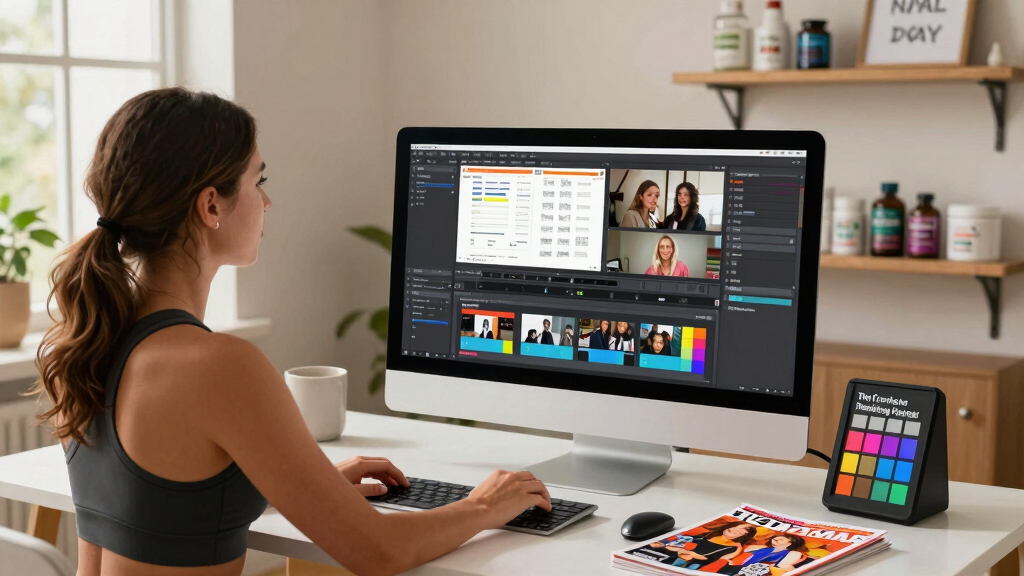
Handling Multiple Platforms & Formats — Keep Everything Organized
Managing different formats is a challenge—high-res for print, low-res for social, captions, subtitles, and more. Offline tools help keep everything organized by allowing you to categorize and tag assets as they are generated. For example, you can store a 4K media kit image alongside a compressed social video, ensuring consistency and easy access. This meticulous organization prevents the chaos of scattered files and inconsistent branding, especially as your content library grows. Automation features—like tagging and categorization—further streamline this process, enabling quick retrieval and batch processing. When managing campaigns across multiple channels, such organization becomes vital; it allows you to adapt your content to each platform’s specifications without losing coherence or spending extra time searching for assets. In essence, offline workflows empower you to maintain a structured archive that scales with your content needs, supporting long-term growth and professionalism.

Keeping Files Up-to-Date: Versioning & Corrections Made Easy
If you edit your source video or script, you want all assets to reflect those changes. Offline workflows excel here because they allow you to re-run the entire processing sequence whenever updates are needed. This automatic reprocessing ensures that all related assets—captions, clips, descriptions—are synchronized with the latest version. The benefit is clear: instead of manually editing each asset, you regenerate the entire package, drastically reducing errors and saving time. For example, if you discover a typo in a headline or want to update a quote, reprocessing the source ensures consistency across all assets without the risk of missing any updates. This approach supports iterative content refinement, making it easier to maintain high-quality, accurate materials over time. The tradeoff is that initial setup for version control might require some workflow planning, but the long-term gains in accuracy and efficiency are significant.

Beyond Marketing: Using Assets for Books, Podcasts, and Courses
This approach isn’t just for social media. You can create content for books, podcasts, webinars, and online courses. For example, a single interview video can produce a chapter transcript, promotional snippets, and audio highlights—all stored locally and ready for distribution. This flexibility allows creators to repurpose content across different formats and platforms, maximizing the value of each recording. For indie authors, this means transforming a raw interview into a chapter, marketing material, and audio snippets without complex workflows. Educators and course creators can generate lecture transcripts, promotional videos, and supplementary materials from a single source, maintaining consistency and saving time. The offline approach ensures that all assets are available immediately and securely, supporting diverse content strategies and long-term content reuse—making it a versatile tool for various creative endeavors.

What Are the Limitations? When Offline Isn’t Enough
Offline tools shine with control and privacy but may struggle with highly visual or heavily edited videos. Complex animations, overlays, or proprietary visuals might require manual adjustments after processing. For instance, intricate motion graphics or layered visual effects may not translate perfectly through automated processes, necessitating manual refinement to achieve professional quality. Additionally, the initial setup can be technical. You’ll need to familiarize yourself with the software and workflows, especially if you want to customize prompts or asset templates. This learning curve might slow initial adoption but pays off in the long run through more tailored and efficient outputs. It’s also worth noting that for highly visual projects, a hybrid approach—combining offline automation with manual editing—may be the most effective strategy. Overall, while offline workflows are powerful, understanding their limitations helps you make informed decisions about when manual intervention is necessary, ensuring your final assets meet your quality standards.
Frequently Asked Questions
What exactly does ‘one video in, a whole publishing kit out’ produce?
It creates everything from transcripts and captions to social clips, blog drafts, thumbnails, and media kits—all tailored for various platforms from a single source video.
What does ‘without the cloud’ mean in practice?
It means processing all assets locally on your machine, without relying on internet-connected cloud servers. Your data stays private, and you maintain full control over every file.
Can it handle editing or updating content after initial processing?
Yes. When source videos or scripts change, you can re-run the process, and all assets update automatically, keeping everything synchronized.
Is this suitable for all types of videos, like highly visual or heavily edited ones?
It works well for most standard videos, but complex visuals or overlaid animations may need manual adjustments afterward. It’s best for straightforward content.
What are the main advantages over cloud-based tools?
Offline workflows offer faster turnaround, greater privacy, no dependency on internet stability, and full control over your files and edits.
Conclusion
Transforming one video into a full suite of publishing assets without the cloud is a game-changer for creators who value control and speed. It’s about working smarter, not harder—delivering quality content directly from your local machine.
Imagine the freedom of knowing your content is in your hands, ready to publish, tweak, and adapt at a moment’s notice. That’s the future of independent publishing—fast, private, and entirely in your control.

Halloween Picks
halloween
As an affiliate, we earn on qualifying purchases.