TL;DR
A wireless charging bedside lamp pairs a powered lamp with a pad for compatible phones, but charging speed and reliability depend on the phone, charger output, alignment, and heat. Compare the charging standard, light controls, ports, footprint, and safety details before choosing a replacement; “wireless” usually describes the phone-to-pad connection, since the lamp still plugs into an outlet.
Your phone can land on the nightstand with a soft thunk, begin charging, and leave one less cable snaking across the dark. A wireless charging bedside lamp combines two familiar jobs, but the convenience depends on a few details that product photos rarely show: whether your phone supports the pad, whether its coil lines up, and whether the light works for reading as well as winding down.

Give the gift of listening to someone who needs a break
- Choose a 1-, 3-, 6- or 12-month membership
- They pick the audiobooks they love
- Easy to send by email
If you’re replacing a lamp that bundled touch dimming, USB ports, and charging, you may find that the exact model is no longer easy to locate. That doesn’t mean you need to give up the setup. You’ll learn how to compare alternatives, spot compatibility gaps, and decide which features matter on your own nightstand.
Think of this as a buyer’s guide, not a product endorsement. Product specifications can change, and names sometimes describe similar-looking lamps with different features. Check the listing and manual for the exact model before you buy, and use the comparison points here to make a practical match.
Check the lamp’s charging output separately from its LED wattage; those numbers describe different functions.
Confirm your phone supports the stated wireless standard and test alignment with your case and accessories.
Compare brightness, dimming, color options, and indicator lights as carefully as charging features.
Measure the lamp footprint and outlet area, and verify USB port output and simultaneous charging behavior.
Use the lamp on a stable, ventilated surface, keep the phone uncovered, and follow manufacturer instructions.
What a Wireless Charging Bedside Lamp Actually Does
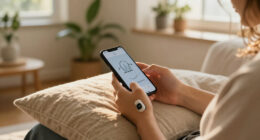
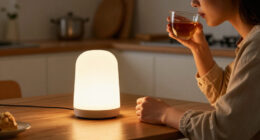
A wireless charging bedside lamp combines a light and a charging pad in one plug-in device; the pad sends power to a compatible phone without a cable running from the lamp to the phone. It can clear a crowded nightstand and put your phone where you can reach it, while the lamp supplies reading or ambient light. The lamp itself usually still needs a cord to a wall outlet.
That difference matters when you see the word “wireless.” It describes the phone’s connection to the charging surface, not a cordless lamp. For example, if your outlet sits behind a bed frame, you still need to route the lamp cord safely; the phone simply rests on the pad instead of plugging into a USB cable.
Most models use the Qi wireless charging standard, but the label alone doesn’t tell you the charging speed or every device’s compatibility. The Wireless Power Consortium maintains certification information for Qi products, so you can check manufacturer documentation and certification claims rather than assuming that “Qi-compatible” and “Qi-certified” mean the same thing [1].
The simplest designs place a marked pad on the base. More elaborate stations may add USB-A or USB-C ports, separate spots for earbuds or a watch, Bluetooth audio, or adjustable light color. Those extras vary by model. A lamp with one phone pad won’t charge two devices at once just because its base looks broad.
Picture a narrow bedside table holding a water glass, a book, and a phone cable. A lamp with an integrated pad can free up some surface area, but its base may also be larger than a plain lamp. Measure the spot before you decide that combining devices automatically saves space.
Products Worth Considering

Levoit Core 400S-P Smart Air Purifier for Large Rooms

Therabody Theragun Mini 3rd Generation Massage Gun, Black

Oura Ring 4 Smart Ring, Silver, Size 8
As an affiliate, we earn on qualifying purchases.
How to Match a Replacement to Your Old Bedside Lamp
A useful replacement matches the features you rely on, not just the old lamp’s appearance. Compare light output and controls, charging standard and output, available ports, and footprint; then confirm those details on the exact model listing. A cream finish or tall silhouette won’t tell you whether its pad supports your phone or its lamp dims at a bedside tap.
A discontinued or hard-to-find set of two lamps may have combined touch dimming, USB ports, and charging in a familiar tall shape. Current alternatives in the source brief overlap with some of those features, but the listed specifications vary. Use the table as a starting point, not a guarantee: sellers can update product details, and you should confirm them before ordering.
| Option named in the brief | Listed features to check | Potential fit |
|---|---|---|
| Masdio Light of Tree Bedside Lamp | 10W LED; Bluetooth speaker; listed dimensions about 11.2 × 5.9 × 7.2 inches | May suit someone who wants a shorter lamp with audio, but check control and pad details. |
| Touch-Control Bedside Table Lamp with Wireless Charger and USB Port | 5W LED; E26 base listed; about 5.5 × 5.5 × 15.9 inches | May resemble a tall traditional bedside lamp; verify touch controls and charging specifications. |
| AMPULLA Masdio Bedside Lamp | 10W LED; Bluetooth speaker; E27 base listed; about 11.2 × 5.9 × 7.2 inches | May work for buyers who value audio and a compact form; confirm whether it matches your lighting needs. |
| WILIT Touch Bedside Lamp with Qi | 12W LED; corded electric; about 8.97 × 3.74 × 8.85 inches | May appeal if touch operation and a narrow footprint matter; check its pad output separately from lamp wattage. |
The wattage in that brief can refer to the light source, not the wireless charging output. Don’t read “10W LED” as “10W phone charging.” Look for separate charging-output specifications, device compatibility, dimming levels, and the number and type of ports.
For instance, someone replacing a pair of 15.9-inch lamps may care most about height and matching a second unit. Someone with a small nightstand may prefer a short, wide speaker lamp. Check whether you’re comparing one lamp or a set, too; that detail can change how well the replacement serves a bedroom with two bedside tables.
How to Check Phone Compatibility and Charging Speed
To check compatibility, confirm that your phone supports the lamp’s wireless standard, then compare the charger’s stated output with your phone’s supported wireless rate. Set the phone on the marked pad and check that charging starts. Correct alignment and temperature matter, so the wattage printed on a listing does not promise the same charging speed in every setup.
- Check the phone. Find its wireless charging specifications in the manufacturer’s documentation. Many iPhones and Android phones support Qi, but support and maximum rates vary by model.
- Check the lamp. Look for the named standard, charging output, and a clear compatibility list. A newer Qi2 feature should appear explicitly in the specifications; don’t infer it from a generic “wireless” label.
- Test the placement. Center the phone over the pad’s marked area. A phone can sit on the base and still miss the charging coils if it rests too high or off-center.
- Check the case and accessories. Thick cases, metal plates, wallets, and pop sockets can obstruct charging. Try the bare phone if charging is inconsistent, following the device and lamp instructions.
- Choose a wired port when speed matters. A lamp’s USB port may provide a quicker wired option, but check its output and cable requirements rather than assuming every port is fast.
Here’s a realistic example: Maya sets her Android phone on a new lamp before bed, but the charging icon doesn’t appear. Her magnetic wallet attachment sits between the phone and pad. Removing it and centering the phone fixes the connection; a thicker case might still affect speed, so she checks the lamp guidance before relying on it overnight.
Wireless charging is often slower and less energy-efficient than wired charging [1]. That tradeoff can be fine when you’re topping up while you sleep, but it may frustrate you if you expect a quick boost before leaving home. If your morning routine includes a ten-minute charge, a verified USB port or your usual wall charger may be a better fit.
Choose Light Settings That Work for Reading and Wind-Down
A bedside lamp should give you enough light to read without flooding the room, and its controls should be easy to use when you’re half asleep. Compare brightness, dimming, color settings, and light direction separately. A lamp can have a charging pad and still disappoint if the light feels harsh on the page or the touch control sits where you keep knocking it.
Look for clear details about dimming levels and color temperature instead of relying on staged product photos. A warm setting may feel softer during an evening wind-down, while cooler light can suit daytime tasks such as sorting clothes or reading a label. Preferences differ, and no bedside setting is a medical treatment; if light sensitivity or sleep concerns affect you, ask a qualified health professional for advice.
Imagine reading a paperback while your partner is asleep. A focused shade or directional light can keep the page bright while leaving the far wall in shadow. By contrast, a glowing base or a bright charging indicator may draw your eye in a dark room, so check photos and specifications for indicator lights and whether you can dim or disable them.
Touch controls can be convenient because you can tap the base instead of searching for a switch. Yet a touch surface can also react when you brush it while reaching for your phone. If you often use a lamp in complete darkness, check where the control sits and whether the brightness steps feel practical for your routine.
- For bedtime reading: favor directed light and simple dimming.
- For shared rooms: look for a shade or head that keeps light off the other side of the bed.
- For a dark bedroom: check the status indicator and control illumination.
- For mixed use: verify that the lamp offers more than one useful brightness or color setting.
Use a book you actually read as your mental test. If the lamp’s shape leaves the page in shadow or its lowest setting still feels glaring, a polished product image won’t fix that on your nightstand.
Reduce Cable Clutter Without Losing Useful Ports
An integrated charging pad can clear a phone cable from your nightstand, while built-in ports can keep a lamp useful for devices that don’t charge wirelessly. The tradeoff is that ports and charging pads have limits: output varies, a phone pad generally serves one device at a time, and a USB port’s presence doesn’t tell you whether it supports fast charging.
Think through your actual bedtime lineup. If you charge a phone and wireless earbuds, one pad may take the phone while a USB port powers the earbuds’ case. If you also wear a smartwatch, check whether the lamp has a compatible watch charging area; many watches need a brand-specific charger, and a phone pad won’t automatically work for them.
A product may advertise USB-A, USB-C, or both. Those labels describe connector shapes, not guaranteed charging rates. Before buying, look for the port’s output, whether the cable is included, and whether using the port affects the wireless pad. If the listing stays vague, treat simultaneous charging as unconfirmed.
For example, Jordan keeps a USB-C cable for a tablet and wants a lamp pad for a phone. He checks that the lamp has the right port and that its manual permits charging through the port while the light is on. If the port’s output is too low for his tablet, he can still use the lamp for the phone and keep a separate adapter for the larger device.
Ports can also add clutter if cables spill across the table. A short cable routed behind the nightstand may keep the lamp’s base clear, while a bulky plug can block an adjacent outlet. Measure the space around the outlet as well as the lamp footprint; a tidy charging station depends on both.
Remember: “More ports” only helps when the connector, output, cable, and simultaneous-use behavior fit the devices you actually charge.
Use a Charging Lamp Sensibly Overnight
Use a charging lamp on a stable, ventilated surface, keep the phone uncovered, and follow the manufacturer’s instructions. Wireless charging naturally produces some heat, and blocked airflow can make a warm setup warmer. Look for documented protections such as temperature monitoring, overcurrent protection, and foreign-object detection, but don’t treat a feature list as a substitute for safe placement.
A useful example: place the lamp on a solid nightstand rather than a soft duvet, and keep a blanket from draping over the phone and pad. If the phone or charger becomes unusually hot, stop using the setup and consult the product guidance. The phone’s case and surroundings can affect heat, so a case that works on another charger may behave differently here.
Many modern phones manage charging, but the charging experience still depends on the phone, accessory, and conditions. For overnight charging, choose a reputable product with clear documentation, use the correct power adapter if one is specified, and avoid damaged cords or unstable surfaces. Follow your phone maker’s instructions for charging as well.
Heat protections vary, so inspect the manual or product specification rather than assuming every lamp has them. If a listing does not identify the wireless standard, output, or safety protections, you have less information to judge the setup. That uncertainty may matter more if you plan to leave the phone charging beside your bed every night.
A status light can be another small bedroom issue. A bright blue dot may feel like a tiny lighthouse at 2 a.m. Check whether the indicator turns off, dims, or can be covered without obstructing airflow or the charging area. Don’t cover the phone itself while it charges.
This is general product-use information, not medical advice. If you have questions about a device’s safety or your own health circumstances, consult the product maker or a qualified professional who can address your situation.
Know Which Features Are Common and Which Are Extras
Wireless charging, LED light sources, and plug-in power appear across many bedside lamp designs, but Bluetooth speakers, app controls, multi-device pads, and Qi2 support are model-specific. Product categories shift over time, so verify a feature on the exact item rather than assuming every lamp in a series shares it. A familiar name can cover products with different dimensions or specifications.
The source brief lists several alternatives with overlapping features: a Masdio Light of Tree model and an AMPULLA Masdio model both include Bluetooth speaker language, while other options emphasize touch controls or a Qi pad. Their dimensions and stated lamp wattages differ. Those details may help you shortlist a shape or feature set, but they don’t establish wireless charging speed or light quality.
Qi2 adds magnetic alignment for compatible devices and can support higher charging performance in some configurations [1]. It is not safe to assume that a product has Qi2 because it says “wireless charging,” and your phone also needs suitable hardware for the relevant feature. Conventional Qi remains common, so check both sides of the pairing.
Smart-home control and app features can be useful if you want schedules or remote adjustments, but they may introduce setup steps and depend on software support. If you mainly need a lamp to tap on before bed, a well-placed touch control may serve you better than a connected app. If you enjoy automations, confirm the app platform and supported functions before buying.
Consider a buyer who wants a speaker because they play a quiet podcast at night. They should verify Bluetooth behavior and whether audio controls are independent from the light, while another buyer who only reads and charges a phone can ignore the speaker and prioritize dimming and pad placement. The right feature list depends on your routine, not the longest spec sheet.
Make a Shortlist That Fits Your Nightstand and Routine
A practical shortlist starts with the things you can’t compromise on: compatible charging, usable light, and a footprint that fits. Then compare the extras you’ll actually use. A five-minute measurement and spec check can save you from a lamp that looks right online but crowds the water glass or charges only when your phone sits at a fussy angle.
- Measure the space. Note the available width, depth, and height, including room for the cord and nearby objects.
- Write down your must-haves. For example: touch dimming, warm light, one USB-C port, and a phone pad.
- Confirm phone support. Check the phone’s wireless standard and the lamp’s listed standard and output.
- Check practical placement. Look for a marked charging area and consider whether your case or magnetic accessories may interfere.
- Read the manual details. Confirm whether charging works while the light is on, whether devices can charge simultaneously, and what safety protections the maker lists.
Suppose you’re replacing two matching lamps in a bedroom. You may prioritize buying a pair or finding a finish that looks close, but first compare height, base size, and control behavior. If only one alternative has the right charging pad, you could use matching plain lamps with a separate charger instead; that may preserve the look while giving you clearer charging specifications.
If you rent or move often, cable length and outlet location matter too. A short lead may not reach the outlet behind a tall headboard, and an oversized adapter can block a second socket. Check the included power supply and cord information where available, then plan the cable path before settling on a model.
Finally, read independent reviews for recurring issues such as finicky alignment, an overly bright indicator, or touch controls that trigger too easily. Reviews can add useful context, but verify factual specifications with the manufacturer because listings and product variants change.
Frequently Asked Questions
Will a wireless charging bedside lamp charge my phone?
Only if your phone supports the lamp’s wireless charging standard. Check both manufacturers’ specifications, then center the phone on the marked charging area; cases, metal accessories, and alignment can affect whether charging starts.
How fast does a bedside lamp charge a phone?
Charging speed depends on the lamp’s charging output, your phone’s supported rate, coil alignment, and temperature. Wired charging is often faster, so a built-in USB port may be useful if its output meets your needs.
Can I charge my phone through its case?
Often, but not always. A thick case, metal plate, wallet, magnet, or pop socket can interfere, so check the lamp’s guidance and test your setup; removing accessories can help diagnose a connection problem.
Does the lamp need to be switched on for the charging pad to work?
That depends on the model. Check the manual or product specifications for whether the pad works independently of the light controls, and confirm whether it can charge while other ports are in use.
Can one lamp charge my phone, earbuds, and smartwatch together?
Only if it has separate compatible charging areas and enough supported output for simultaneous use. A single phone pad generally serves one device, and many smartwatches need a brand-specific charger.
Is a wireless charging bedside lamp cordless?
Usually not. “Wireless” describes how the phone receives power from the pad; the lamp itself generally plugs into a wall outlet.
Conclusion
Choose a replacement by matching your real routine: the phone you own, the light you need, and the space you have. Verify the wireless standard and output, check dimming and ports, and measure the nightstand before you commit. If the exact old lamp is hard to find, a close match—or a plain lamp paired with a clearly specified charger—can still give you a tidy bedside setup.
When the room goes quiet, your best choice should feel simple: a gentle tap for light, a clear spot for your phone, and no cable tangled around the book you meant to finish.